Club colours
Colour applied per panel so a kit matches the club palette exactly rather than approximately.
3D Jersey Configurator
Club colours, sponsor logos, names and numbers applied to the jersey in 3D — so every player sees their own shirt before the order goes to production.
No credit card required
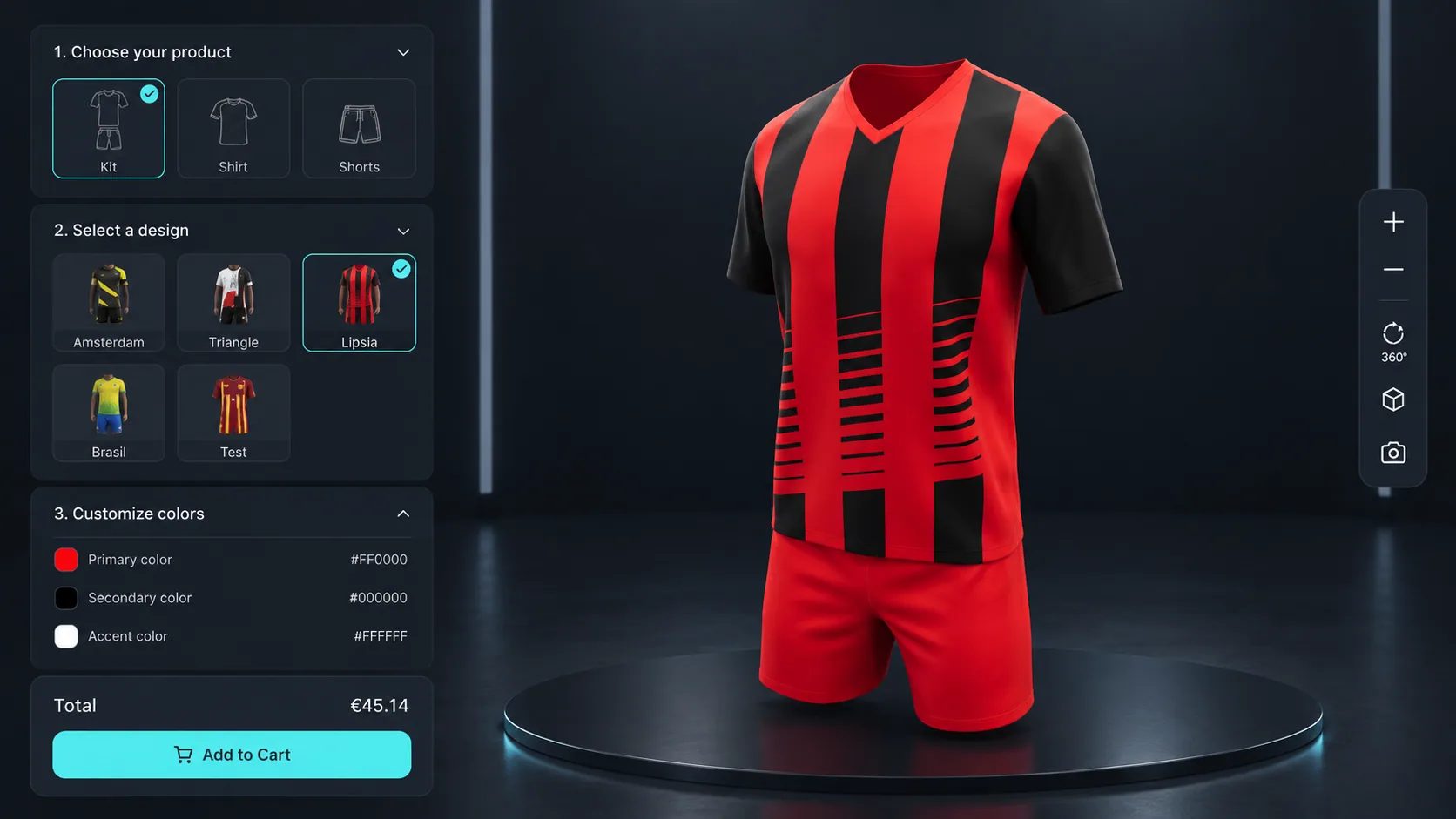
Colour applied per panel so a kit matches the club palette exactly rather than approximately.
The Pattern Designer applies repeating designs with scale, rotation and offset control.
The Design Canvas places sponsor artwork on chest, sleeve or back at the size and angle required.
Text Input adds player names and squad numbers with font selection, rendered on the shirt.
Fabric type and garment cut offered as options, each with its own price behaviour.
The configuration and a screenshot travel with the order, so production works from what the club approved.
See how users score Simplio3D across the major software review platforms.

4.6/5

4.3/5

9.5/10
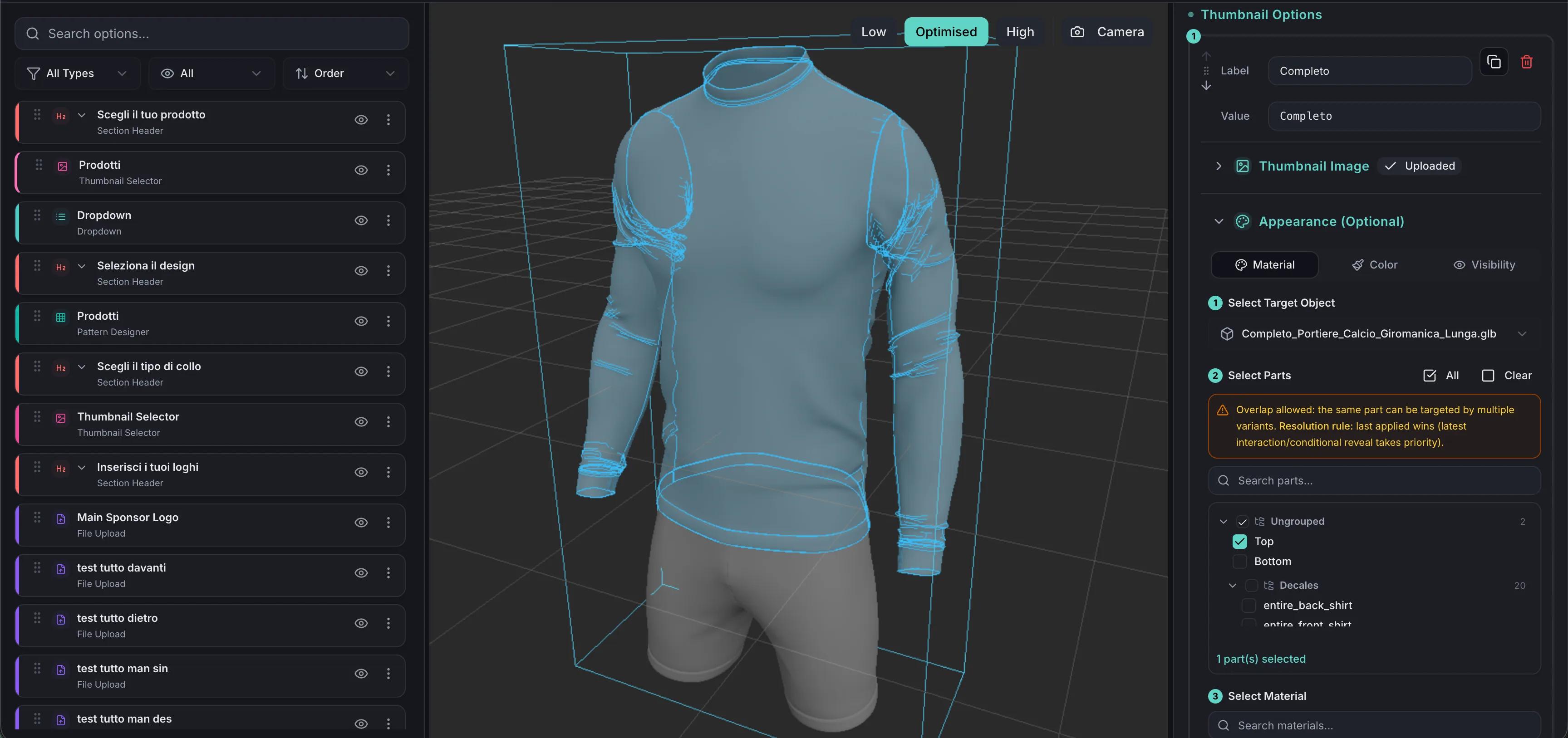
A club kit is rarely chosen by one person. A design gets circulated, opinions come back, someone mocks up a variant in an image editor, and the version that reaches production is not always the version that was agreed. A configurator gives everyone the same live view. The kit is configured once, seen from every angle, and the approved configuration is what gets ordered.
Decoration is what makes team kit custom, and it is the part that is hardest to show in a mock-up. Simplio3D handles it with dedicated option blocks: the Design Canvas places decals, logos and artwork freely on the surface; the Pattern Designer applies repeating patterns with adjustable scale, rotation and offset; Image Upload lets the customer bring their own artwork; and Text Input adds names or numbers with a choice of font. SVG artwork goes further — when a file contains distinct fill colours, Simplio3D detects those colour channels automatically and makes each one recolourable at runtime, so a single logo file becomes every colourway you offer.
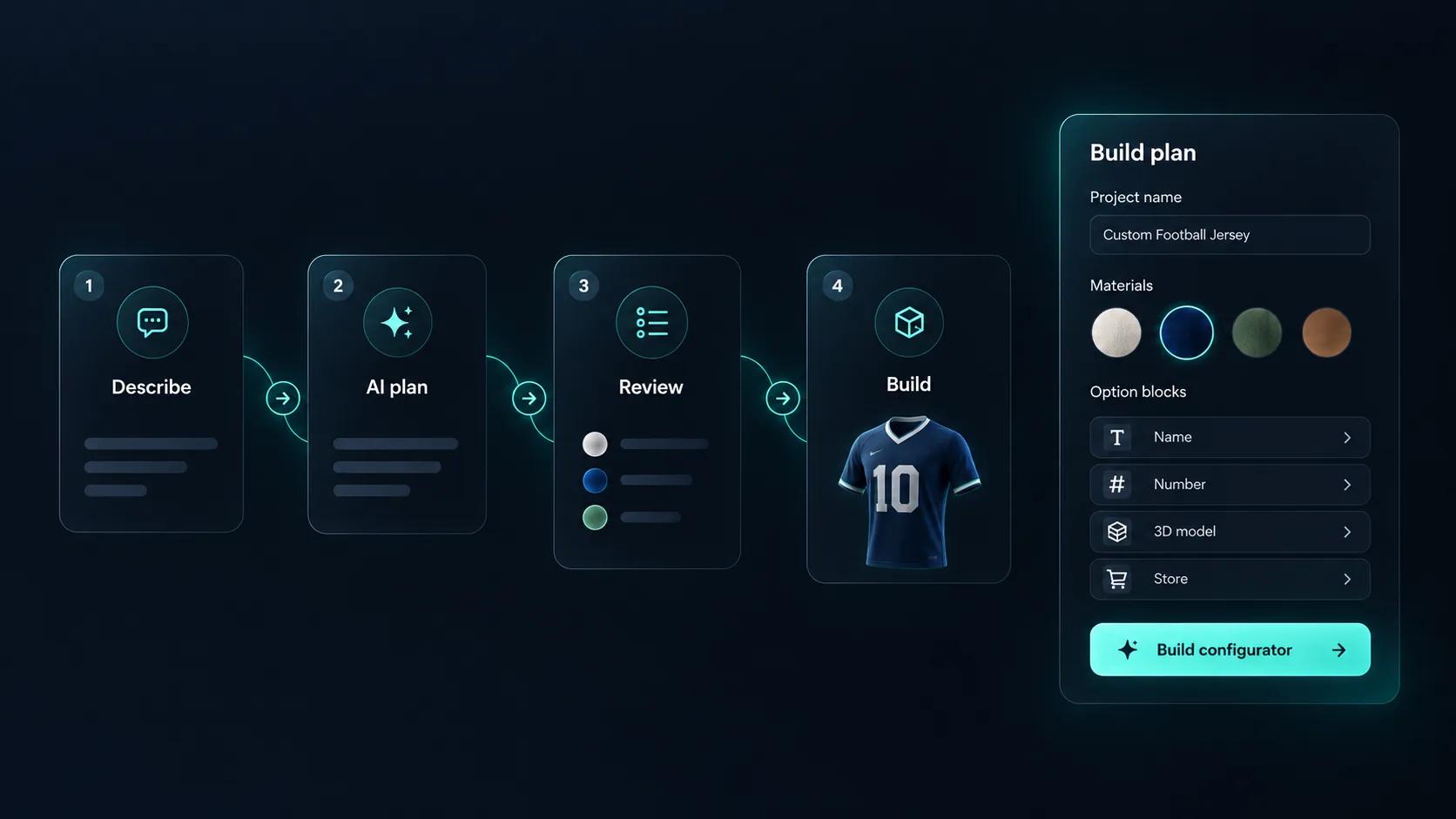
Setting up a jersey configurator means building every option, every rule that links them, and every price that depends on them. Simplio3D can generate a working configurator from a product description, which gives you a structure to refine rather than a blank project. Its AI assistant can then audit what you have built — reviewing option coverage and conditional logic instead of leaving you to click through every combination. If you run a large catalogue, the MCP server lets an assistant connect with a scoped token to evaluate logic and calculate prices directly, proposing changes before anything is applied.
One jersey model, your fabric range, and the decoration rules you work to.
Import the jersey with panels, collar, sleeves and decoration zones separated so colour and artwork can be applied independently.
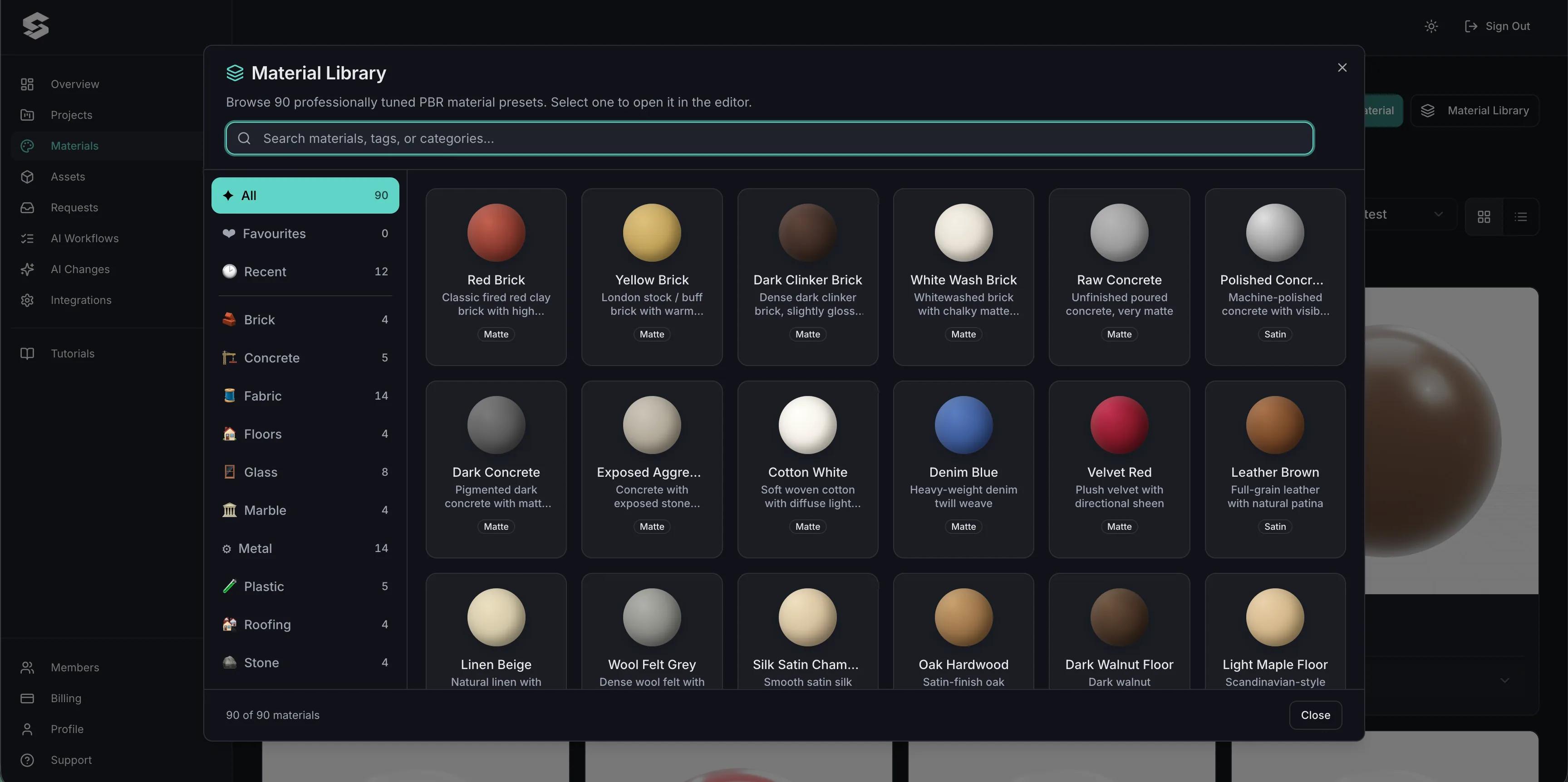
Build the performance fabrics you actually cut from — mesh panels, body fabric, ribbed collars — as PBR materials, so the kit preview matches the shirt that ships.
Restrict decoration positions and pattern combinations to what your sublimation or print process supports, so an approved design is always producible.
Price by fabric and cut, with sponsor placements, names and numbers charged individually — which is how a club order gets costed.
Publish and embed it on your teamwear page, and share a link with each club so a committee can review the same live design.











Yes, provided the model separates the panels. Colour Variants can then be applied to each one independently.
Yes. Image Upload accepts SVG, PNG, JPEG and WebP, and the Design Canvas controls where and how large it appears.
For SVG artwork, yes. Distinct fill colours in the file are detected as colour channels and can each be recoloured at runtime.
Text Input captures the name and number on the configuration, and the submitted order carries that data along with the design.
Yes. Each option can add to the total, so additional print positions or premium fabrics are priced as they are chosen.
Yes. A quote form captures the configuration and contact details for a club order, and submissions appear under Requests in your dashboard.
Equipment, protective gear and accessories personalised with the same colour, logo and text tools.
Own a 3D product configurator to drive sales and generate proposals directly from your website