
Colours and patterns
Colourways applied across parts of the toy in real time, with the whole model updating.
3D Toy Configurator
Let customers colour, kit out and personalise a toy in 3D — then see exactly what will arrive before they order it.
No credit card required
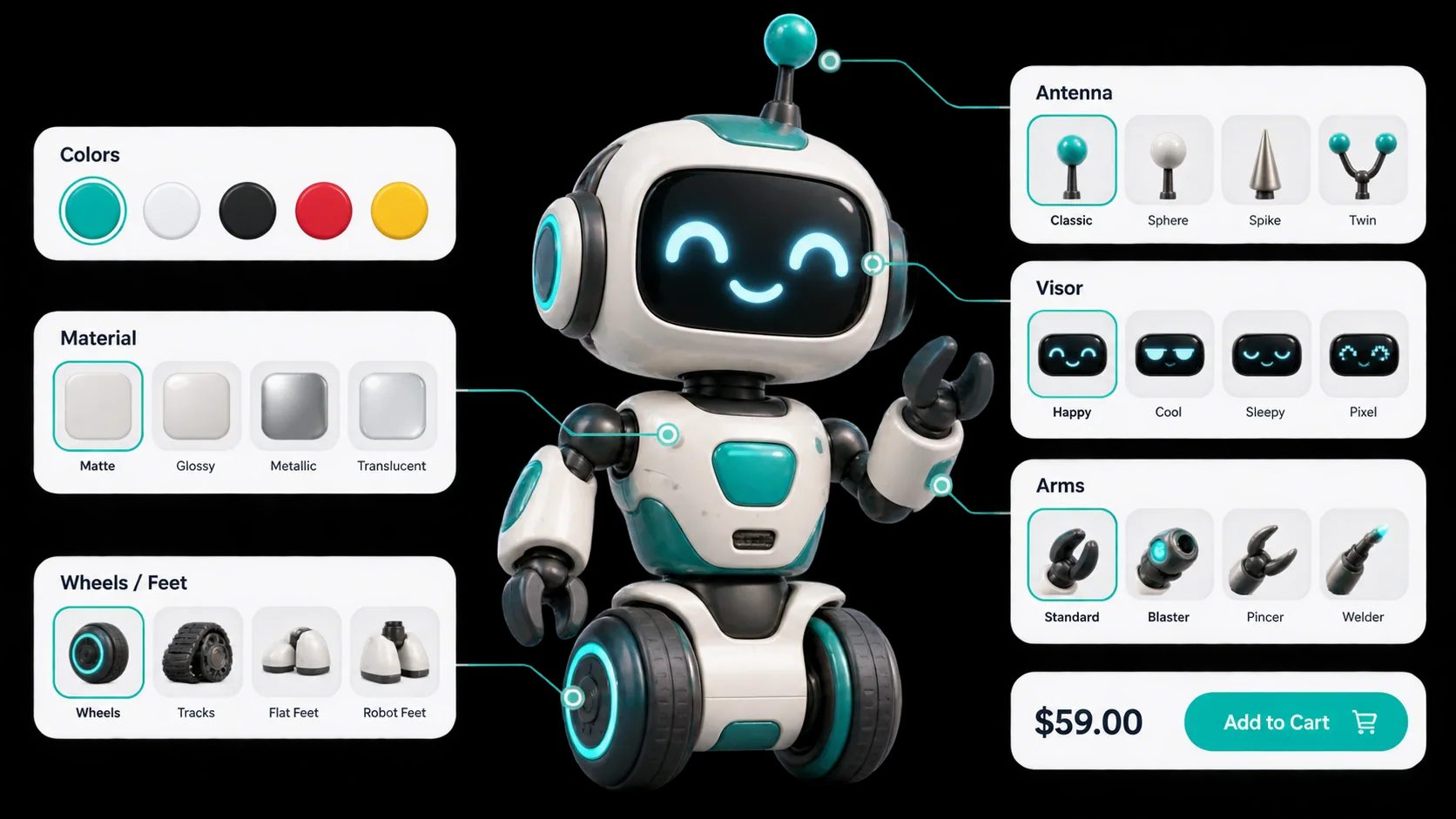
Colourways applied across parts of the toy in real time, with the whole model updating.
Swappable components and add-ons that change the character of the finished item.
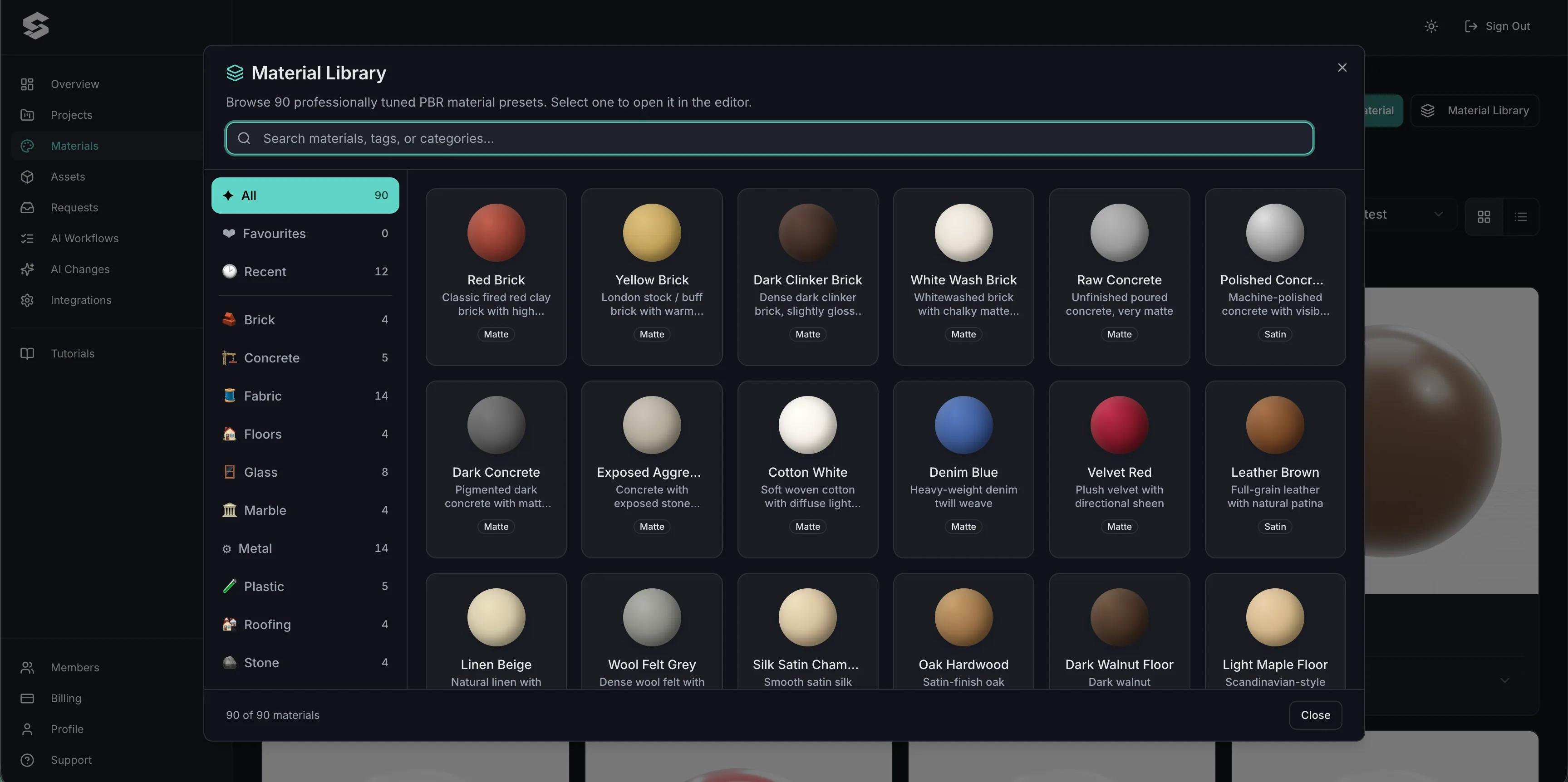
Plastic, fabric, wood and metal finishes rendered as materials so the result reads correctly.
Personalised text applied to the model, which the customer proofreads themselves before ordering.
Uploaded artwork or preset graphics placed on the product where you allow it.
Extras and premium finishes feed the total so the price shown is the price paid.
See how users score Simplio3D across the major software review platforms.

4.6/5

4.3/5

9.5/10
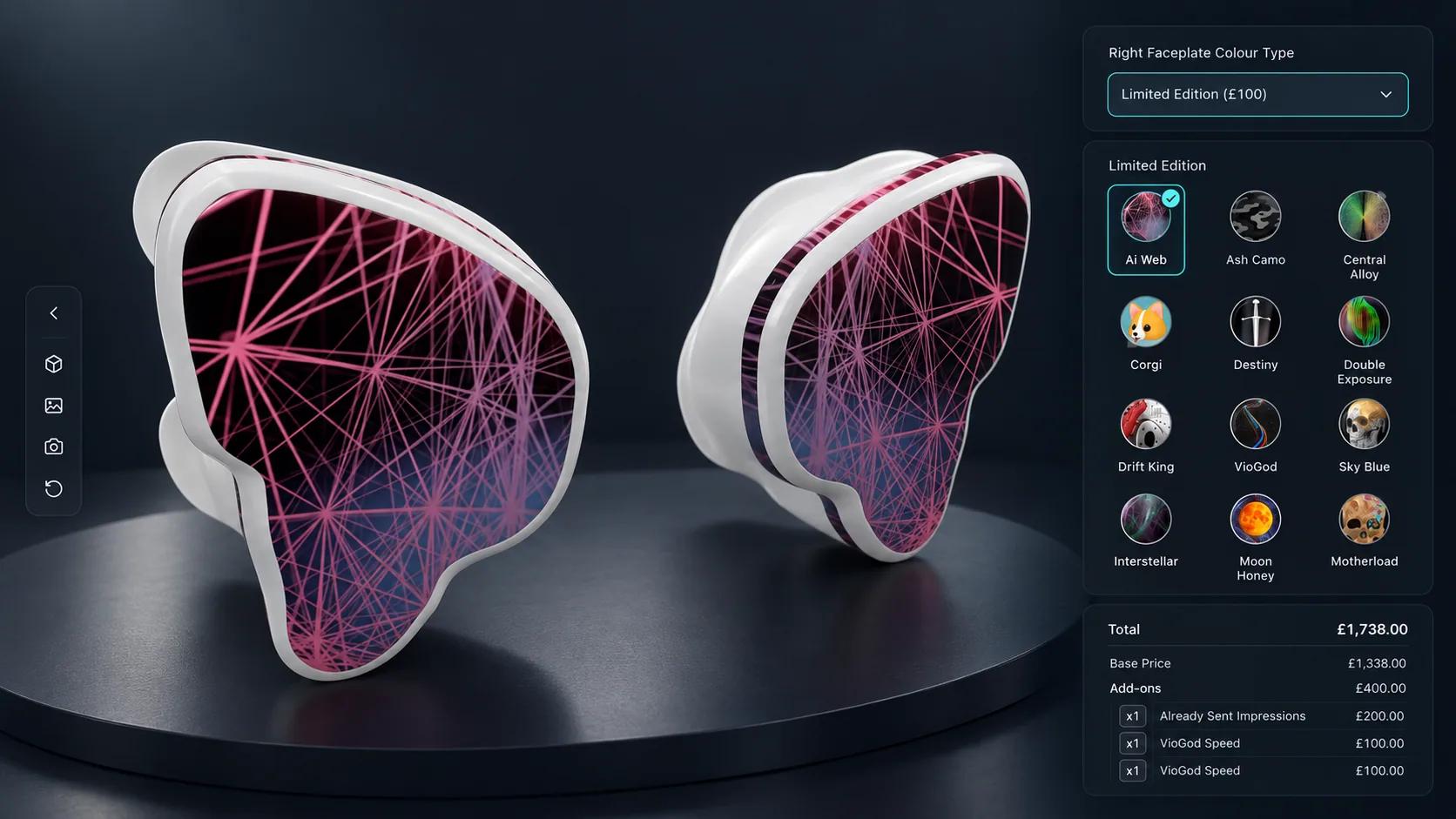
For personalised toys, designing the thing is a large part of what the customer is buying. A dropdown list and a text box do not capture that; watching a toy change as you choose does. It also removes the biggest risk in personalised goods, which is a customer who is disappointed by something they could not see before it shipped. If they approved the render, they approved the product.
Custom orders fall apart in the handover: a name spelled from an email, a colour described in words, an artwork file attached separately. A configurator produces a structured configuration instead — every option, the text, and a screenshot of the approved result. That goes into the cart line or the quote request, so production works from the same record the customer approved.
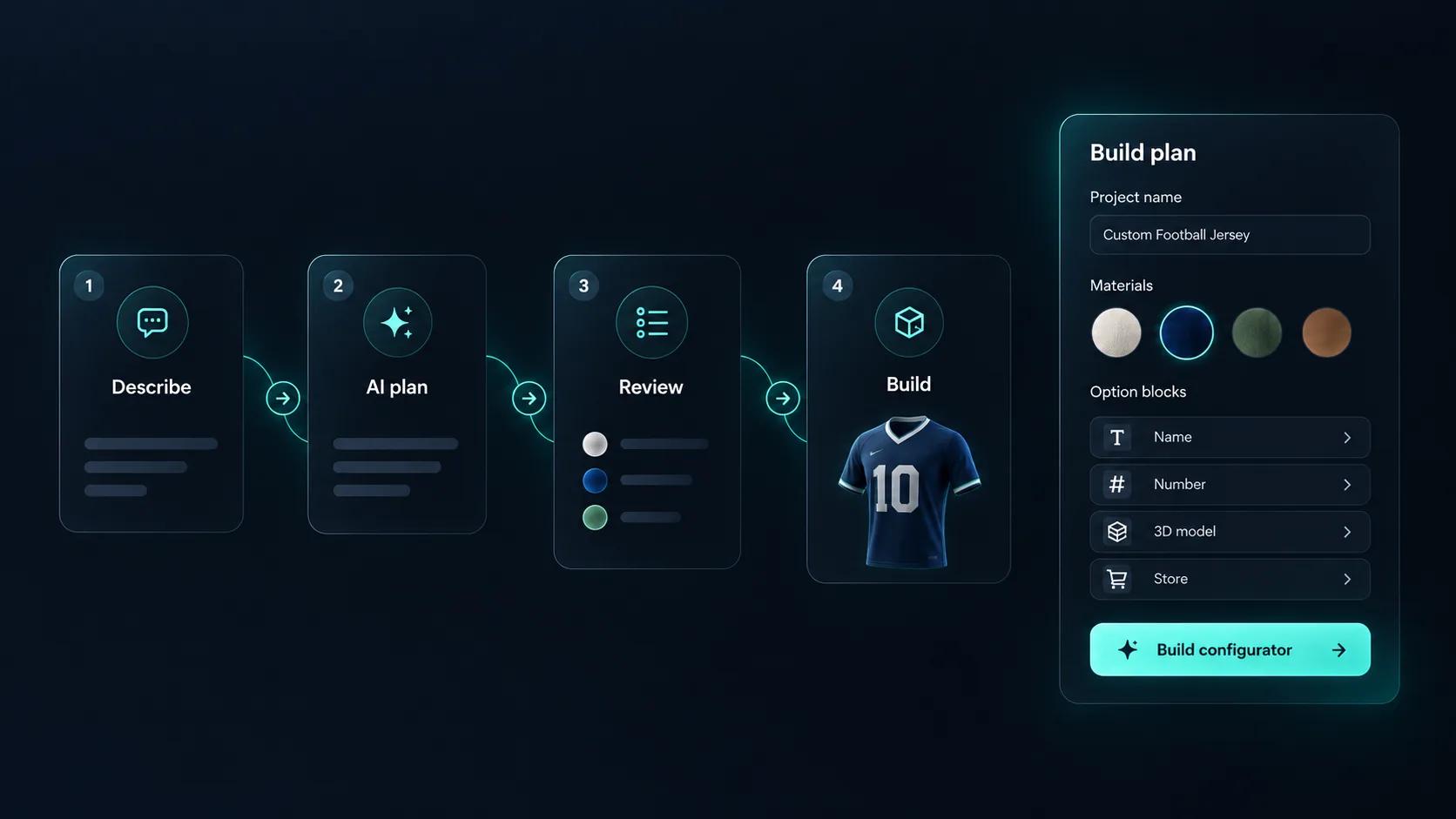
Setting up a toy configurator means building every option, every rule that links them, and every price that depends on them. Simplio3D can generate a working configurator from a product description, which gives you a structure to refine rather than a blank project. Its AI assistant can then audit what you have built — reviewing option coverage and conditional logic instead of leaving you to click through every combination. If you run a large catalogue, the MCP server lets an assistant connect with a scoped token to evaluate logic and calculate prices directly, proposing changes before anything is applied.
Model, materials, options, pricing, publish.
Import the toy with the parts you want customers to change — body, accessories, decorative elements — kept separate in the model.
Build the materials your products are actually made from: moulded plastics, painted finishes, timber and fabric, so a preview reads as the object rather than a render.
Restrict which parts and colours can combine, and cap the artwork area, so a personalised order never arrives as something production cannot print.
Price the base toy, then add each accessory, premium finish, personalised name and custom graphic as its own priced option.
Publish and embed it on the product page so the configured toy — with its text and artwork — goes straight into the cart.
















Yes. Graphics can be imported and placed on the product where you allow it, alongside preset patterns and logos.
Yes. Text input is one of the option block types, and the text renders on the model so the customer checks the spelling themselves.
Yes. The configuration, the entered text and a screenshot of the configured product are passed with the order or quote request.
Entirely. Only the options you create are exposed, and conditional logic can restrict combinations further.
The published configurator runs in any browser with touch controls, so a tablet works the same way as a desktop.
Yes. The WooCommerce and Shopify integrations add the configured item to the cart at the calculated price.
If you also personalise clothing or accessories, the same platform covers 2D artwork placement and 3D fabric simulation.
Own a 3D product configurator to drive sales and generate proposals directly from your website